

You’ve sent 100 applications and heard nothing back. You’re qualified for most of them. So what’s going wrong?
Often it’s not you. It’s the resume. Almost every company you apply to runs your resume through an applicant tracking system (ATS), the software companies use to collect and sort applications. If it can’t read your resume properly, your experience ends up scrambled or missing, and you never show up when a recruiter searches.
The fix is simpler than it sounds: one column, plain headings, real text, contact details in the page body and dates next to each job title. Then use the job posting’s own words wherever they honestly describe your work. Here’s how.
Quick answer
Make your resume boring to read for a machine and easy to read for a person. One column, standard headings, no icons or tables, and the posting’s words where they’re true. Or build it in the JobUnlocked resume builder, where every template is already made that way.
What does an ATS actually do with your resume?
It reads your file, pulls out the text, and sorts it into fields: name, contact details, job titles, employers, dates, education and skills. Recruiters then search those fields with keywords, and some systems rank people against the job.
The software rarely makes the final decision. A person still reads the resumes that come up in their search. So your resume has two jobs: be readable by the software, and be convincing to the person.
Is it true that robots reject most resumes?
Mostly no. You’ve probably heard that an ATS throws out three quarters of resumes before anyone looks. That claim has no real study behind it.
What actually happens is quieter. A badly formatted resume doesn’t get rejected; it gets misread. Your job titles land in the wrong fields, your skills go missing, and you simply don’t appear when the recruiter searches.
What does reject people automatically is the yes-or-no questions on the application form, like “Are you authorized to work in the US?” or “Do you have an active RN license?” Answer those carefully, and make sure your resume says the same thing.
The formatting rules that matter
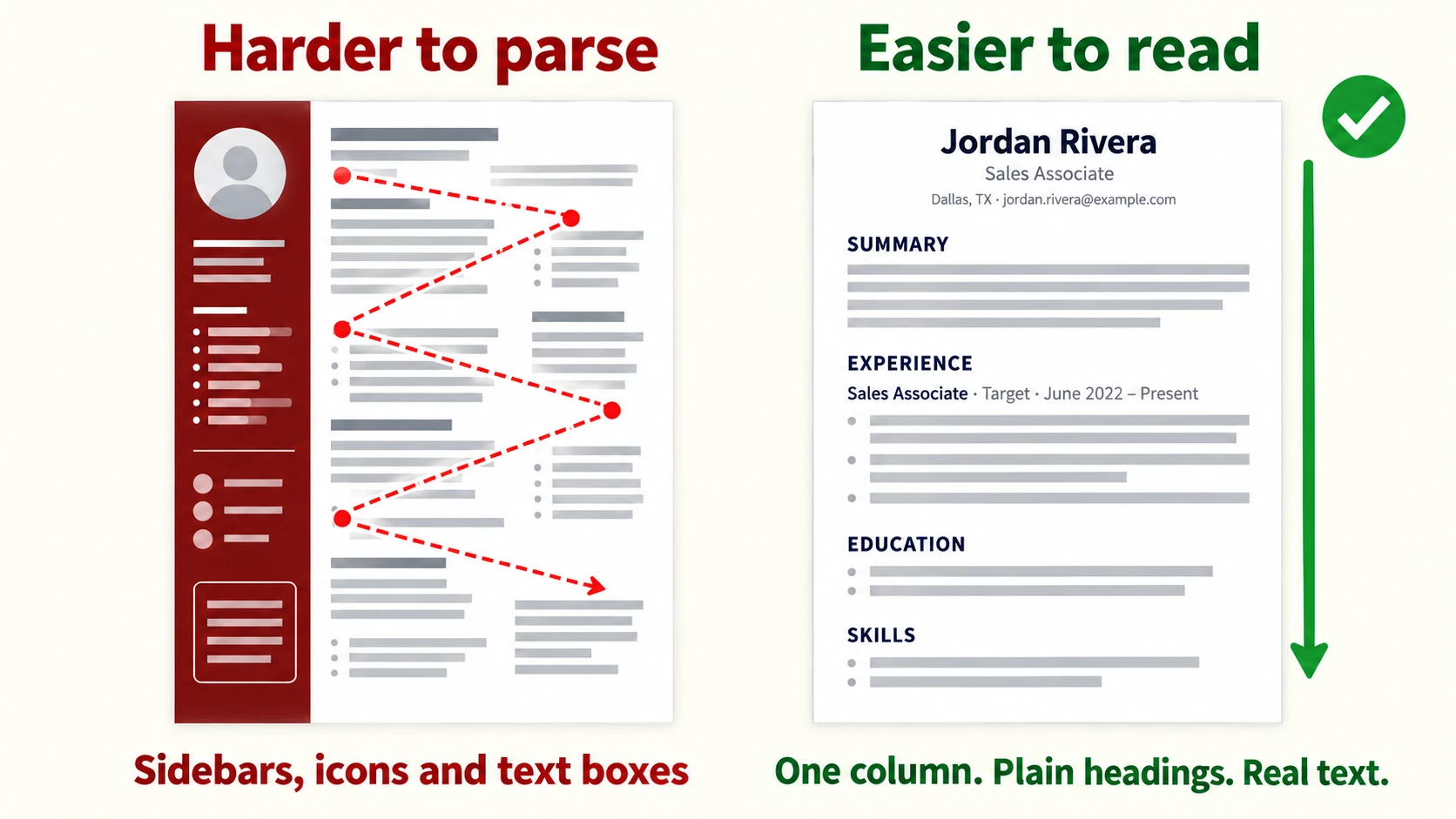
Use one column
Sidebars look tidy, but they’re the most common way text gets scrambled. The software reads across the page, so a line from your sidebar ends up in the middle of your work history. One column, top to bottom, gives it nothing to get wrong.
Use plain section headings
The software finds sections by looking for familiar words. Use “Summary”, “Experience” (or “Work Experience”), “Education”, “Skills” and “Certifications”. Creative titles like “My Journey” or “The Toolkit” can make it skip what follows. Avoid wide letter spacing on headings too, since “E D U C A T I O N” reads as separate letters, not a word.
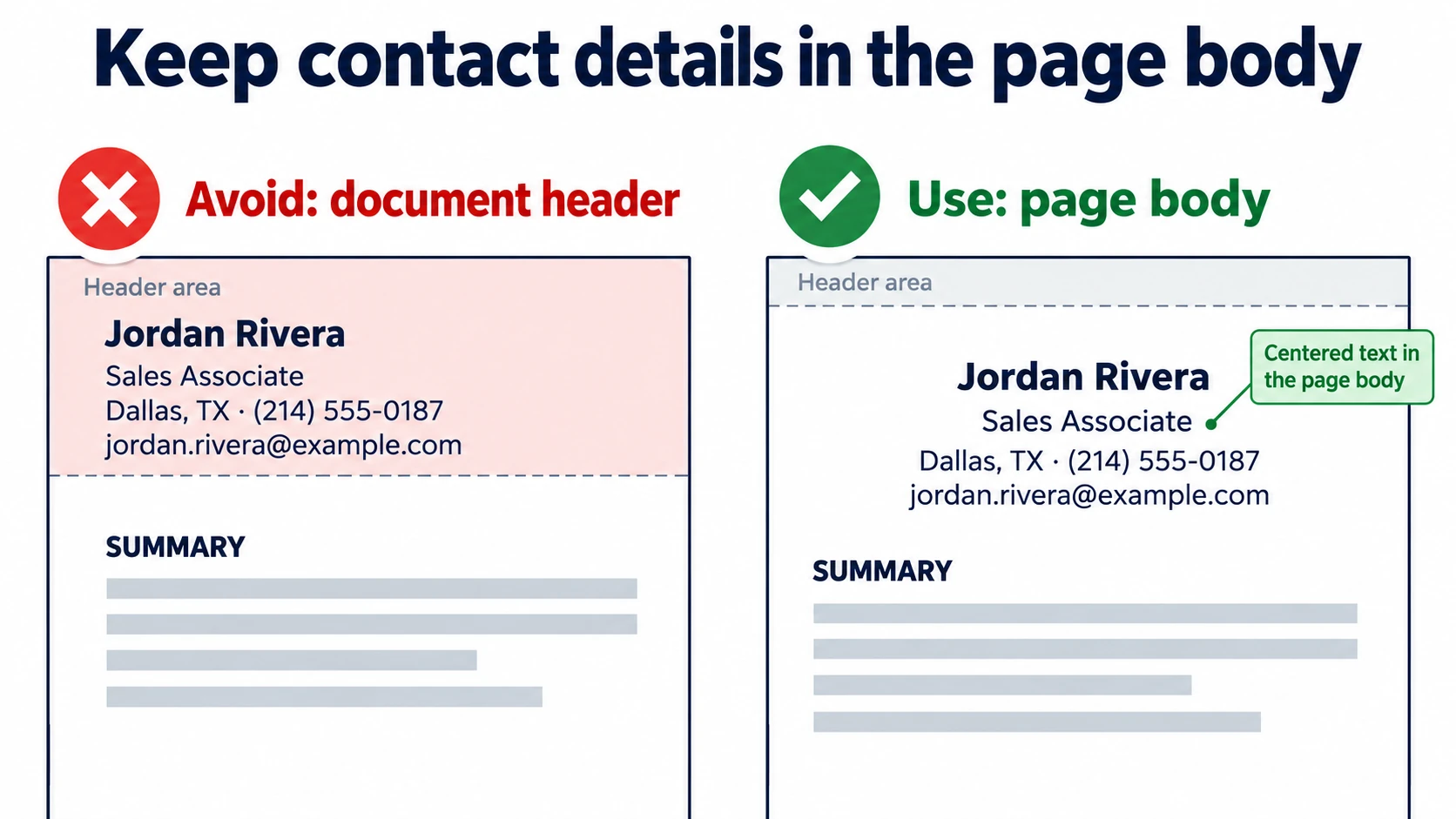
Keep contact details in the page body
Put your name, phone, email and city at the top of the page itself, not in the document’s header area or a text box. Greenhouse, one of the most common hiring systems, lists headers, footers, text boxes, tables and columns among the reasons a resume fails to parse (Greenhouse Support).
Keep dates next to the job title
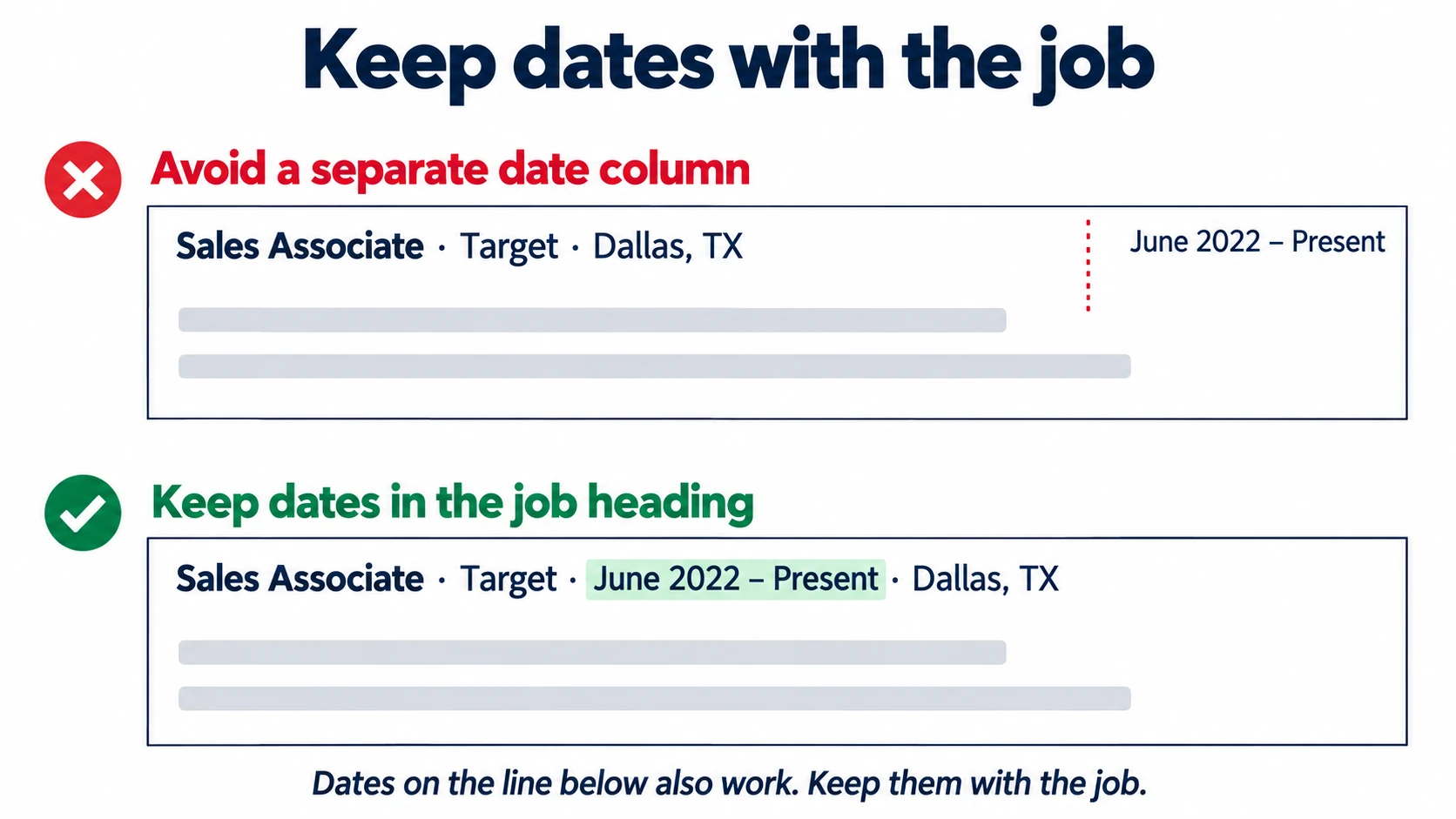
This one surprises people. Many templates push dates to the right edge of the page, in a column of their own. It looks neat, but the software can read that date at the very end of the document, nowhere near the job it belongs to.
Keep the date inside the job’s own heading line, in reading order:
Sales Associate · Target · June 2022 – Present · Dallas, TX
The line right under the title works too. What matters is that the date stays with its job instead of sitting in a separate column. Use month and year, and the same format everywhere.
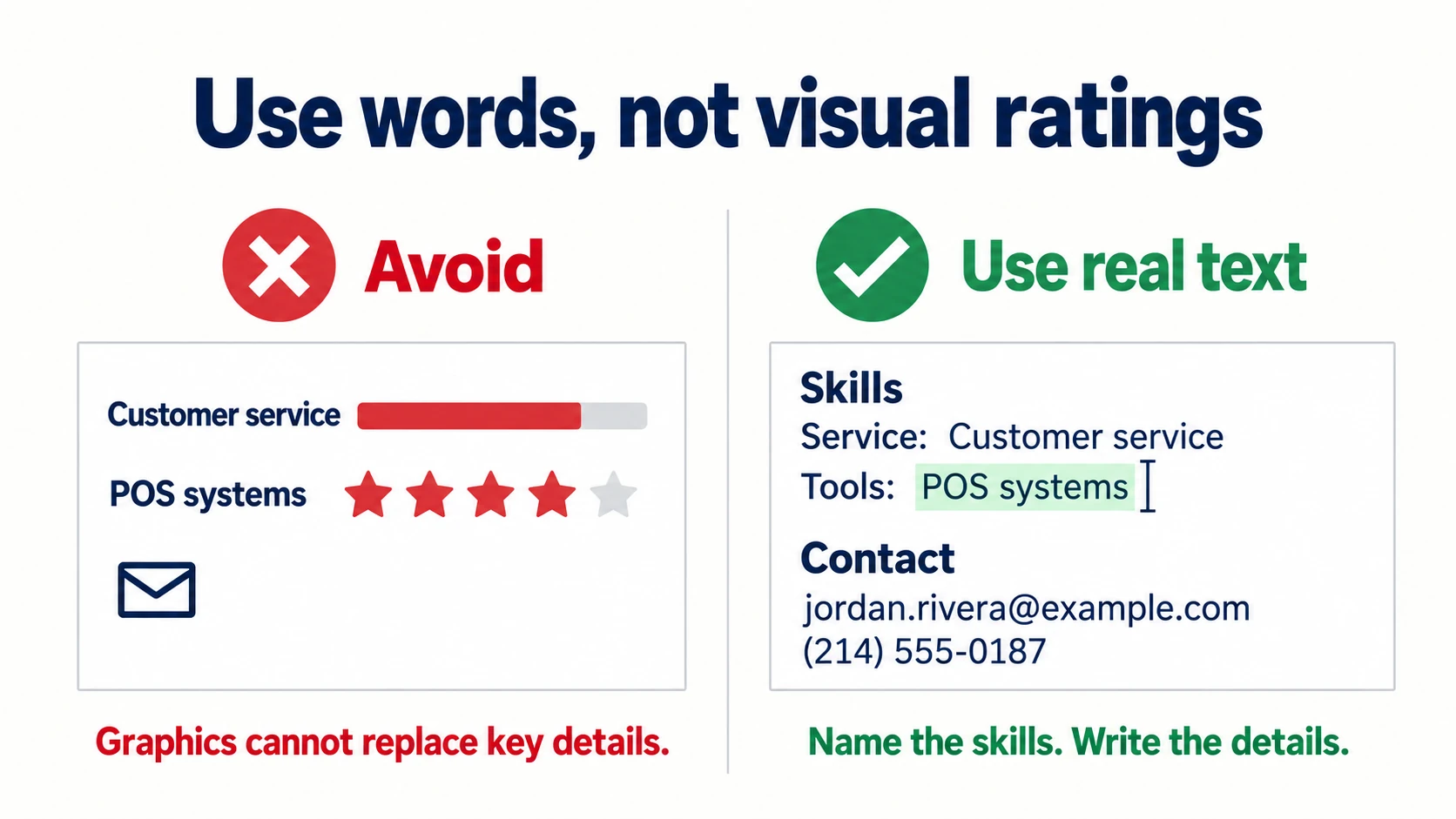
Make every word real text
Icons, skill bars, charts and logos carry no words the software can use. A phone icon next to your number tells it nothing. Write the number itself. Never send your resume as a picture or a scan.
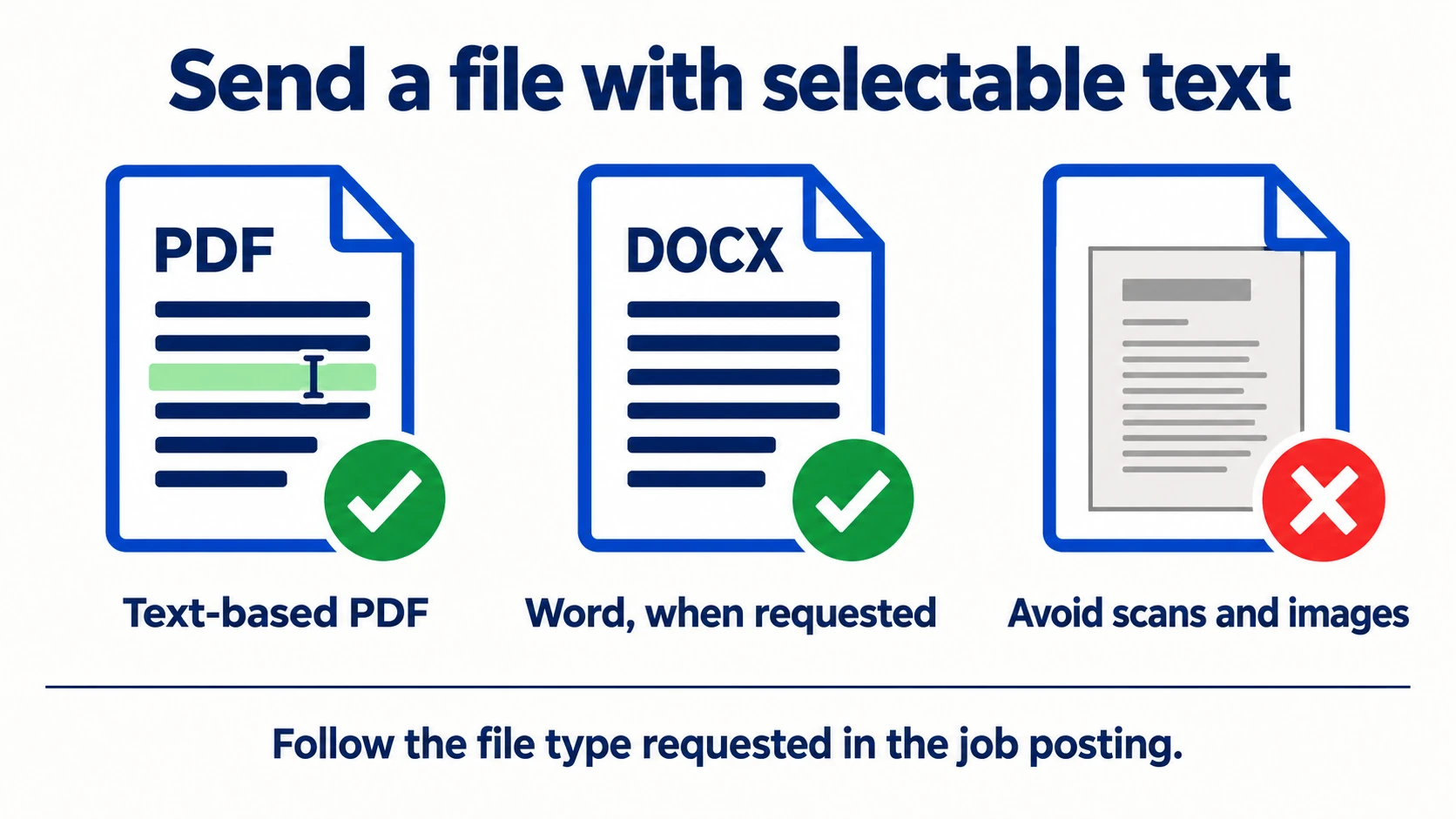
Send a text-based PDF or Word file
Both work. Use a PDF exported from Word, Google Docs or a resume builder, so the text stays selectable. If the posting asks for Word, send Word.
Do’s and don’ts
| Do | Don’t |
|---|---|
| One column, top to bottom | Sidebars or two-column templates |
| “Experience”, “Education”, “Skills” | “My Journey”, “Where I’ve Been”, “Education/Skills” |
| Name and contact details at the top of the page | Contact details in the header, footer or a text box |
| Date next to the job title, in reading order | Dates in a right-aligned column or a table |
| “June 2022 – Present”, one format throughout | Year-only dates, “Jan ‘21”, or mixed formats |
| Plain bullets and a standard font | Icons, skill bars, photos, logos |
| Text-based PDF, or Word when the posting asks | Scanned pages or images |
| City and state or province | Your full street address |
How do you use keywords without stuffing them?
Use the posting’s exact words for the skills, tools, licences and job title you really have, in the places they naturally belong. Recruiter searches are often literal. If the posting says “Kubernetes” and your resume only says “K8s”, a search can miss you. Write the full term, and add the short form once if it’s common: “Amazon Web Services (AWS)“.
Don’t repeat a word ten times or hide keywords in white text. It doesn’t help, and the recruiter can see it.
A simple routine for each application:
- Paste the posting into a notes app and highlight the job title, tools, licences and duties.
- Put the posting’s job title near the top, in your summary, if it honestly fits.
- Swap your wording for theirs where they mean the same thing (“CI/CD” vs “deployment pipeline”, “guests” vs “customers”).
- Leave out anything you can’t back up in an interview.
The JobUnlocked resume builder does this for you. Pick a job and it shows what the job asks for next to where your resume already shows it.
What does a strong bullet look like?
Start with an action verb, say what you did and how big it was, and end with a result. Use the posting’s words where they fit. Here’s one for a sales associate job whose posting asks for “customer service” and “POS”:
Before: Helped customers and worked the register.
After: Provided customer service to 80+ shoppers a shift and rang up their purchases on the POS system, keeping the cash drawer balanced at every close.
Only use numbers you can defend in an interview. If you don’t know the exact figure, use an honest estimate or leave it out. The same pattern works for any job: a software engineer can name the tools and how much faster something got, a nurse the unit and the charting system, a warehouse worker the equipment and pick accuracy, a teacher the grade and subject.
What to check before you hit apply
- One column, no tables or text boxes holding key details
- Name, phone, email and city in the page body
- Plain headings: Summary, Experience, Education, Skills, Certifications
- Each job: title, employer, dates and city together, with no date column on the right
- The same date format everywhere
- No icons, photos, skill bars or text inside images
- The posting’s job title and key skills appear where they’re true
- Saved as a text-based PDF, or Word if asked
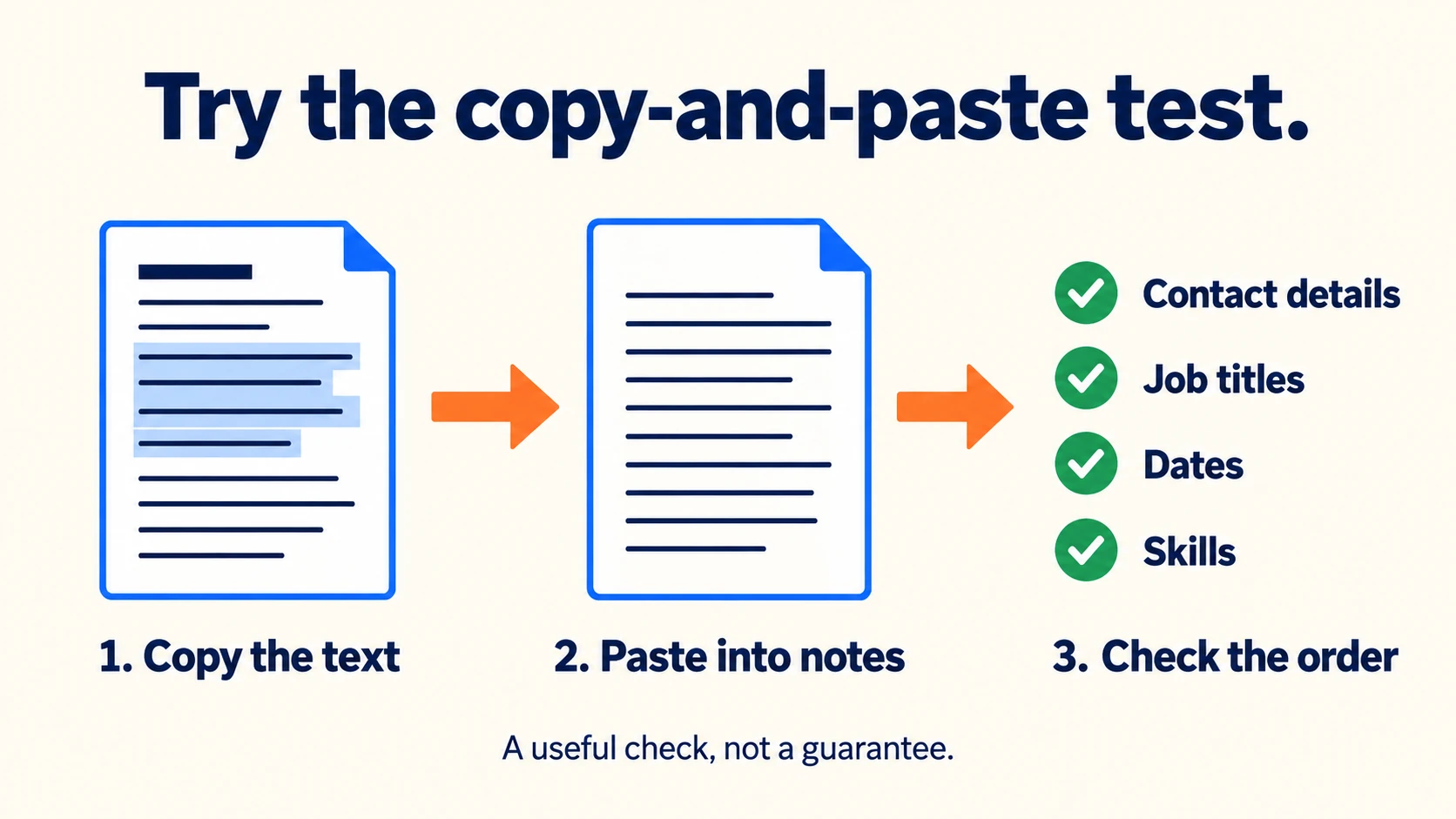
- The copy test: select all the text in your file, paste it into a notes app, and check it reads top to bottom in the right order. If it comes out jumbled, the software sees it jumbled too.
The fastest way: let the builder handle the format
If you’d rather not fight with a template, build it in the JobUnlocked resume builder. Every design is single-column and exports a text-based PDF, so the rules above are handled for you.
Build
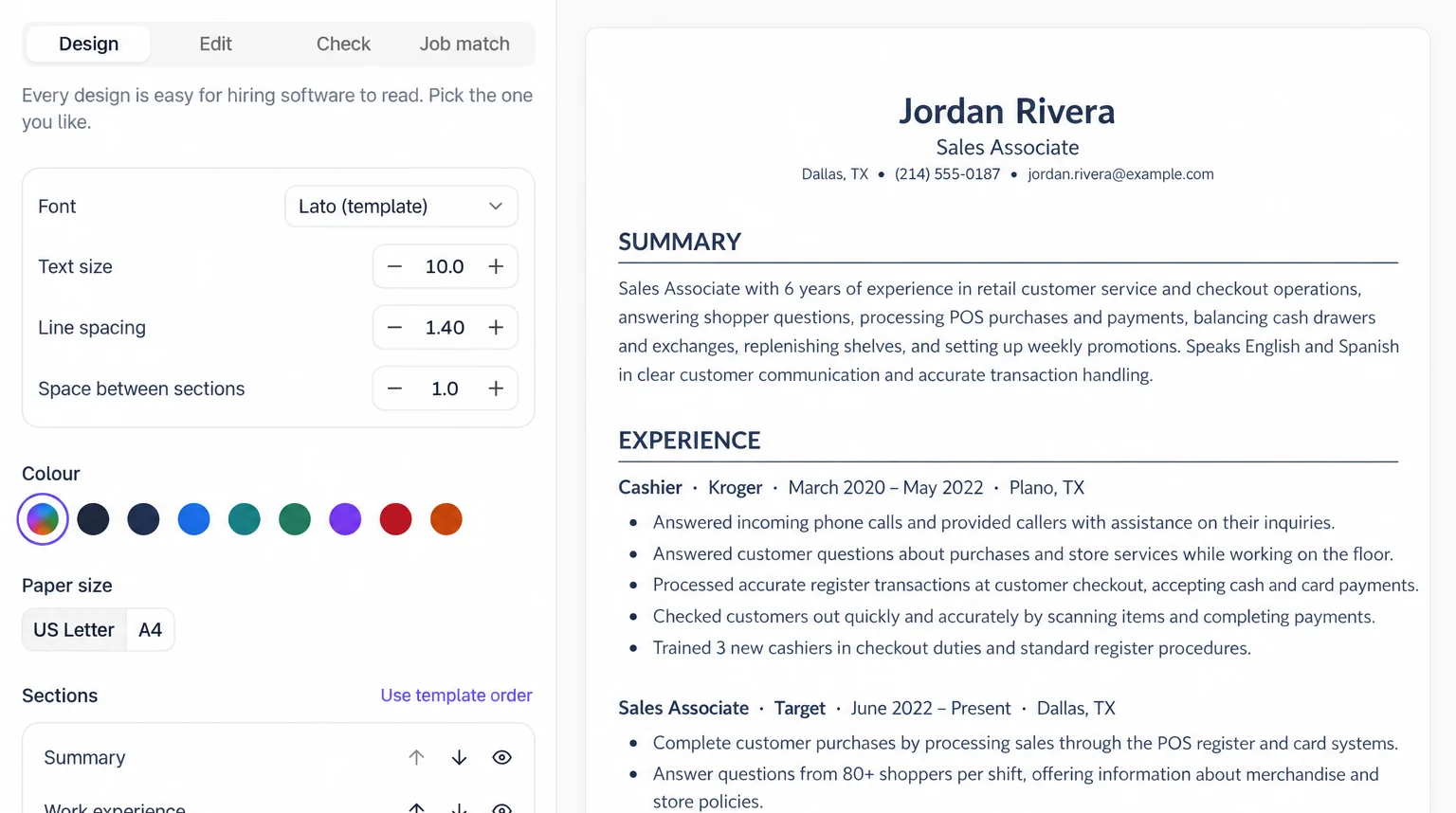
Answer a few questions and AI writes the first draft, or upload an old PDF or paste your current resume. There are 16 templates: Jake, Parker, Stack and Compact suit software engineers, Clinical suits nurses, Frontline suits shift work, Closer suits sales, Harvard suits finance and Centered suits students. Every one keeps dates in the job’s heading line, never in a right-aligned column.
Check
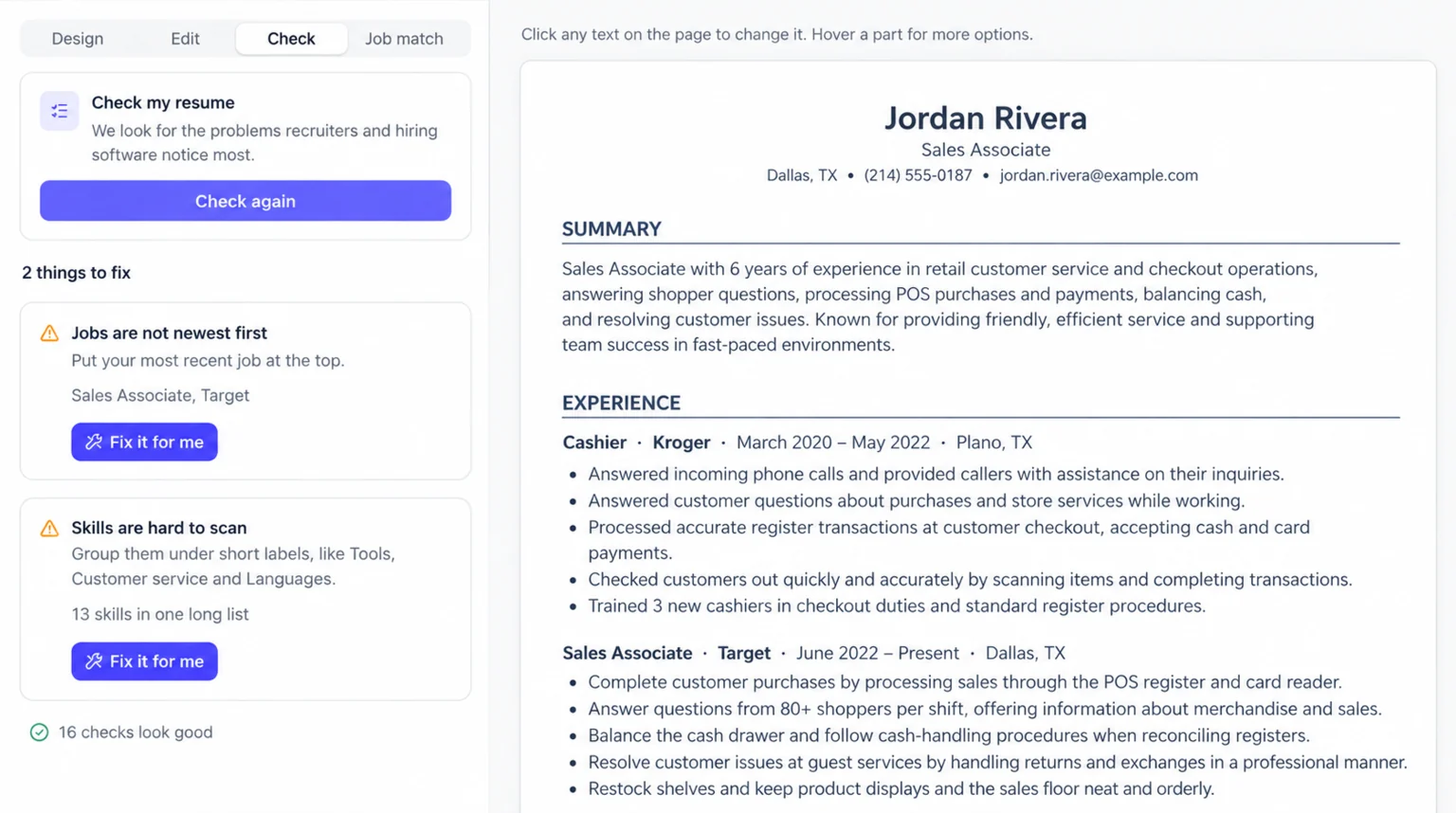
The resume check scores your resume out of 100 across content, format, optimization and best practices. It flags weak bullets, buzzwords, missing dates or contact details and a resume that runs too long, and most problems come with a Fix it for me button.
Tailor
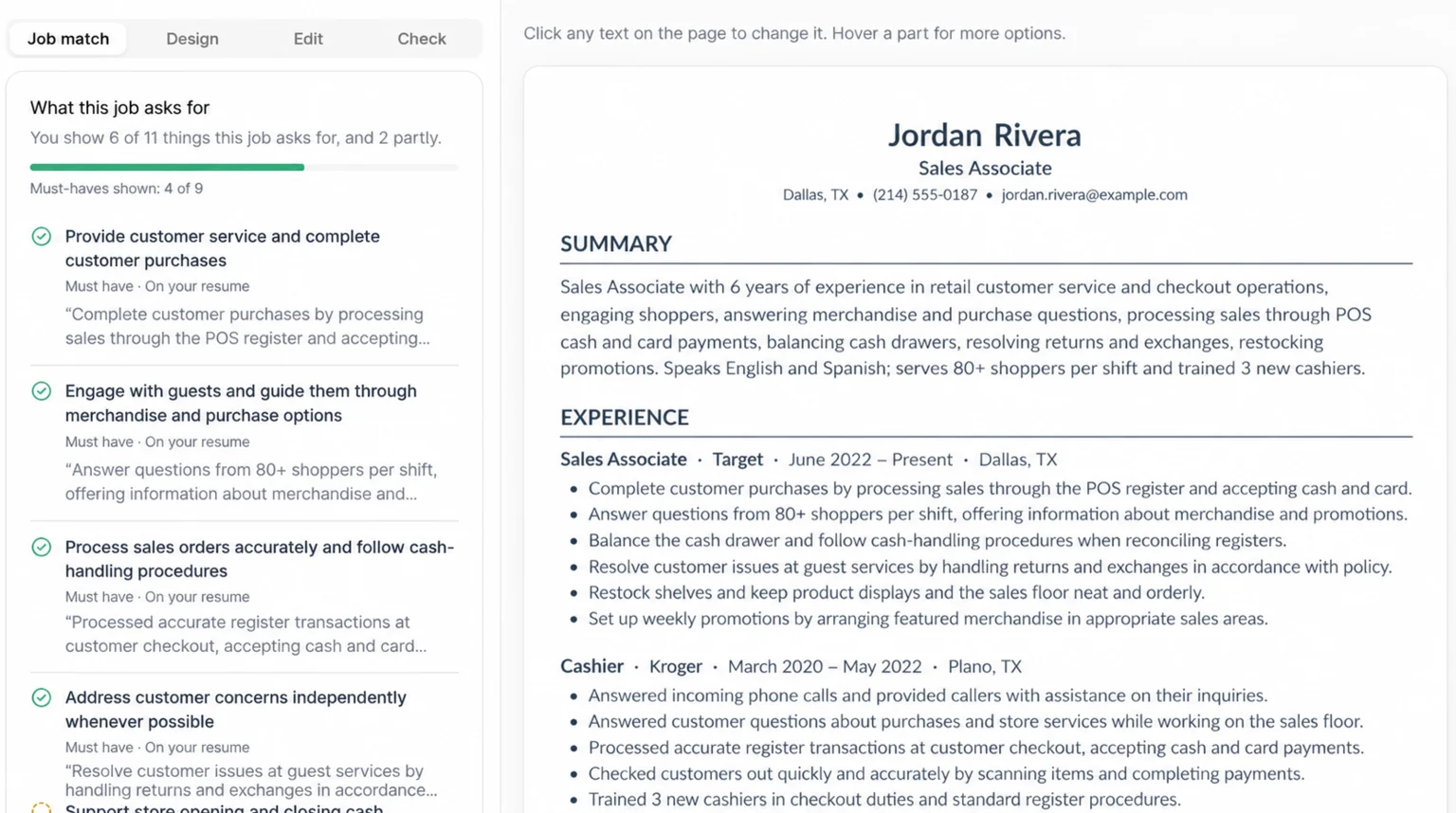
Pick a job, see what it asks for, and get a version written for that job. JobUnlocked checks every rewritten line against your original resume and reverts any line that adds a tool, skill, number or duty you didn’t list. Download the PDF and apply.
Does this work for nursing, retail and trades jobs too?
Yes. The same rules apply to every field. For nursing, trades and driving jobs, put your licence right under your contact details and again in a Certifications section, with the state or province and expiry date. For hourly jobs in retail and hospitality, answer the availability and certification questions on the form carefully.
- Software engineering: name languages, frameworks and cloud tools exactly as the posting writes them, in a short Skills section grouped by type. See how companies word them in software engineering jobs.
- Nursing: “Registered Nurse” with licence and expiry near the top, plus BLS or ACLS. Browse healthcare jobs for the exact titles hospitals use.
- Retail and food service: name the point of sale systems and food safety certificates you hold. See retail jobs.
- Trades and driving: lead with licence level and endorsements, like “CDL Class A”. See skilled trades jobs.
- First jobs: put Education above Experience and add projects or volunteer work. Try entry-level jobs.
Where should you send your new resume?
Straight to the company, and early. Applying on the employer’s own careers page puts your resume into the same system the recruiter searches. Applying soon after a job is posted means you’re in the pile before it gets big, while the recruiter is still reading closely.
That’s what JobUnlocked is for: it checks company websites every day, so you can find jobs posted today and apply directly with the company. If you’re weighing the big job sites too, read JobUnlocked vs LinkedIn.
Bottom line: a clean, one-column resume with plain headings and dates next to each job title is what hiring software reads best. Add the posting’s own words and an early application on the company’s site, and that’s what turns silence into callbacks. Build or check your resume, then find jobs on company websites.


